Browsing PieFed using Vivaldi's 'follower tab' feature is very nice
44m 49s ago by piefed.social/u/rimu in piefed_meta@piefed.social from media.piefed.social
I forgot to mention that you can resize the panes to make the left one skinnier, like a mobile phone width, so the content on the right is bigger.
Evidently it also has some options for 'dark mode,' which would be my immediate concern based on the snow-blindingly look above.
Thanks for sharing, mate, and I hope you got my donation from the '100 users / 5,000 users' post.
It was very generous of you, thanks :)
Vivaldi has dark mode, or it can respect the system theme.
And suddenly iframe is popular again
Vivaldi has built in and very good tab tiling. This follower thing is news to me, but I've been using the tiling for maybe twenty years in vivaldi and opera before that.
Thank you so much for this info! For me, this is super exiting not only because piefed is my favorite access to the fediverse, but also because vivaldi has been my browser of choice for quite some time now, thanks to the beautiful ways one can organise. And apparently it keeps giving.
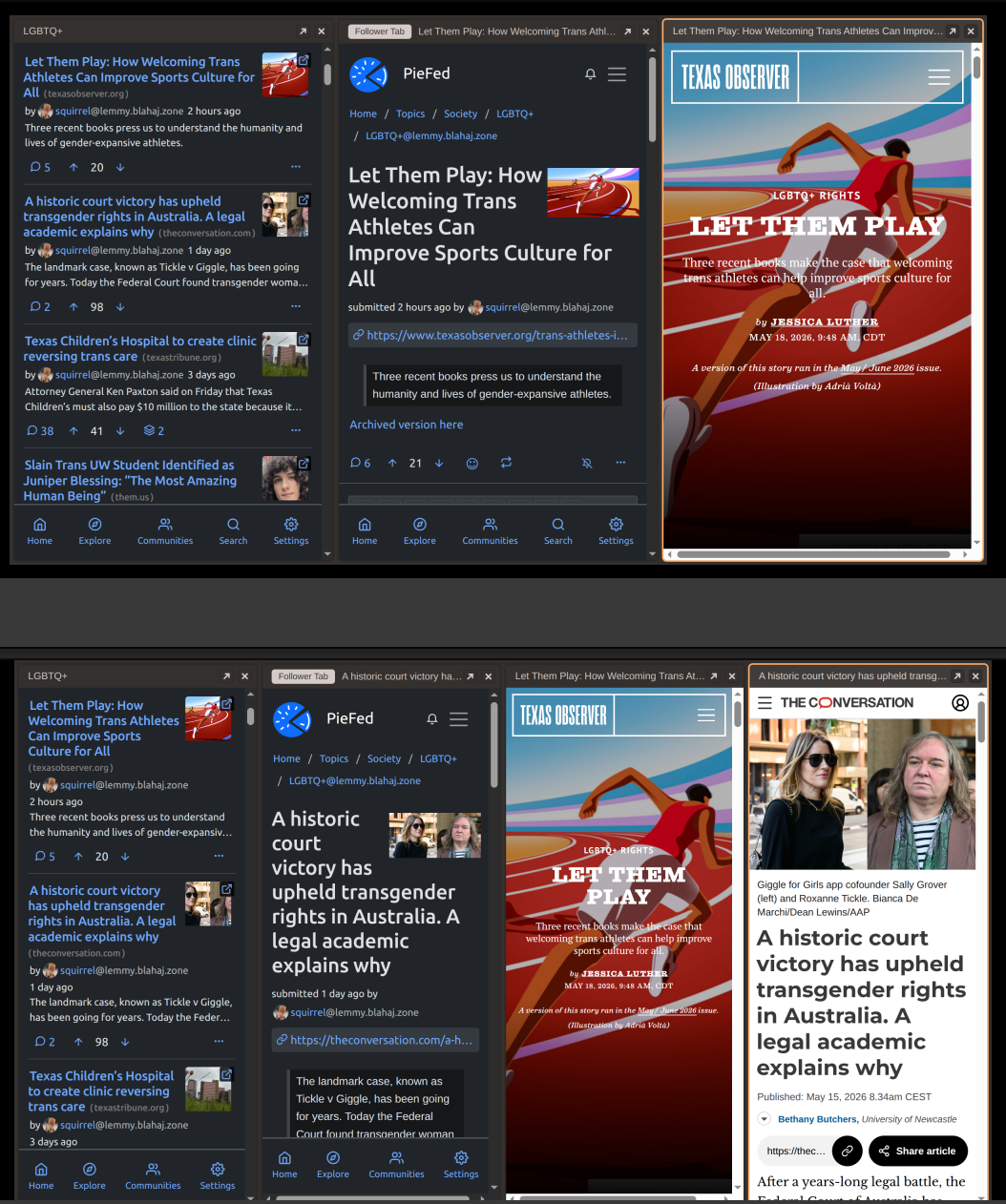
Anyways, what I really wanted to say is that after following the instructions in this video, I discovered that
- if there is a link in the post and we click on it, the article appears on a 3rd tile
- then if we click to another post in the first tile, then click on the link of the 2nd tile, then we get a 4th tile!!!
Here's a double screenshot to clarify:
Luckily, closing tabs is only a quick mouse gesture away in Vivaldi. That does sound annoying, though.
@rimu@piefed.social Oh wow, didn't know about follower tabs. Neat!
That's slick.
Hey, instead of using a new browser, you could build this into the WebUI 😀
Actually I love the navigation built into Troddit, you should check that out! Its pretty novel.
oh... wow! Thanks :D
this is neat
so i right clicked a link in Brave browser and it lets you do this in split view
sick